Source image01
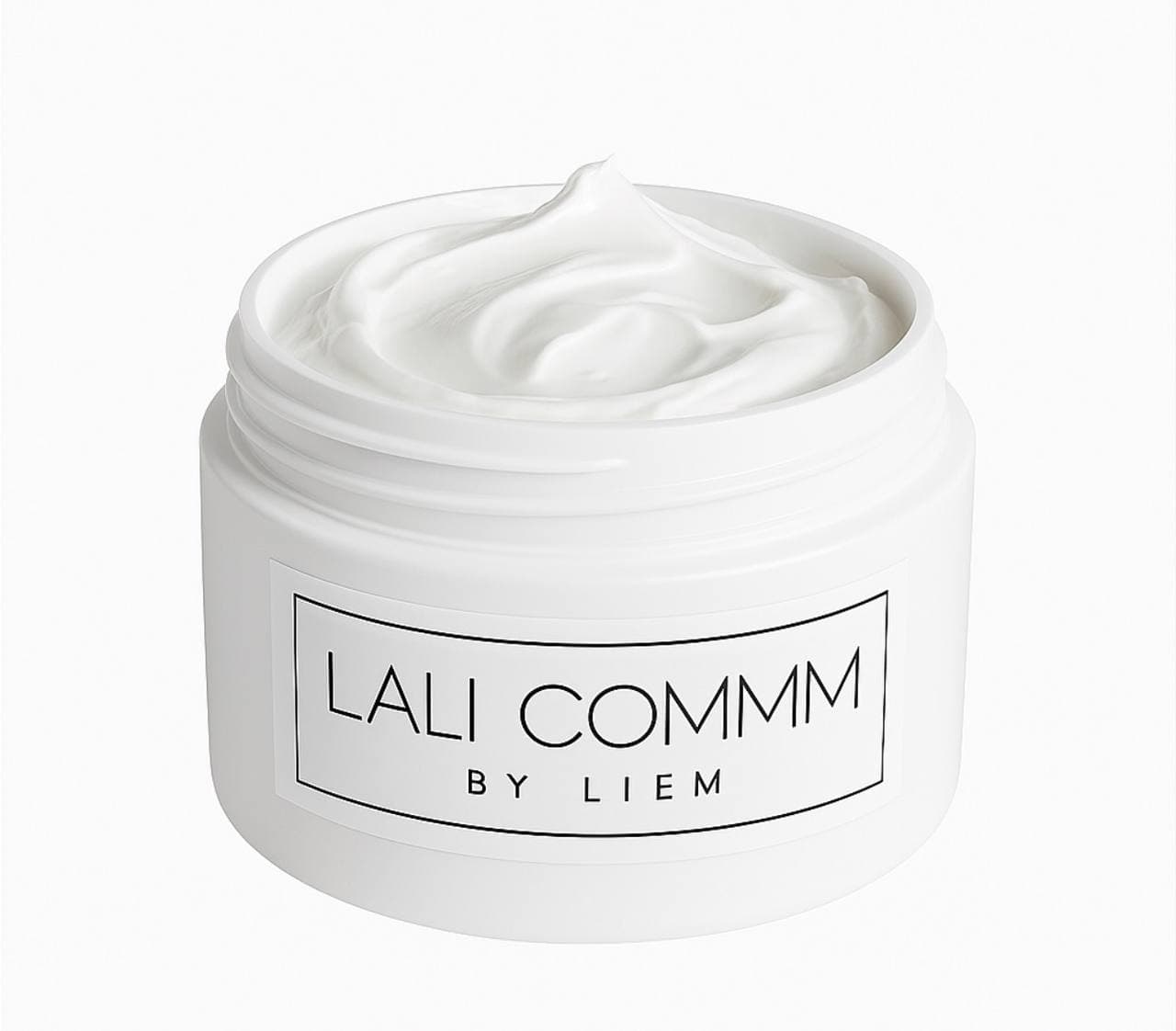
Clean product photo on a white background


From one photo to video
Upload a photo, choose how your product appears and get a video for social media, ads and your website.
1
Product photo
5
Creation modes
1
Image or video
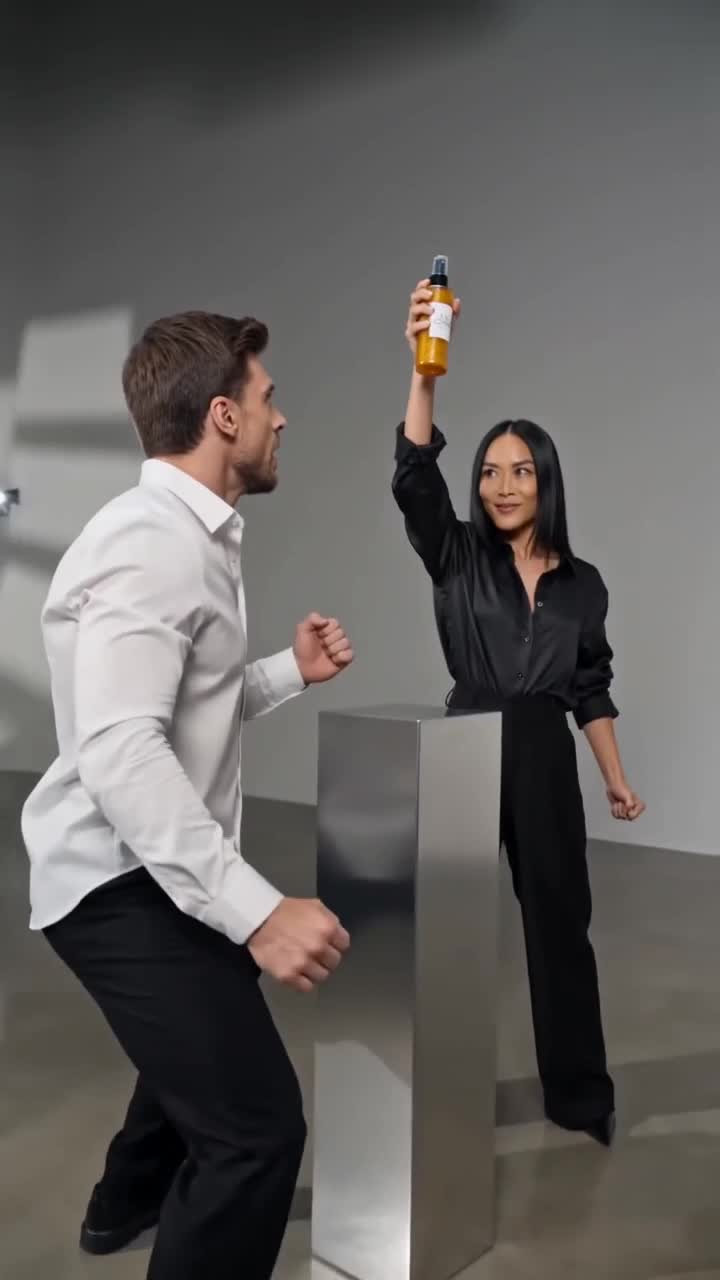
Source → Result
The same jar and the same branding. Now it has a stage, lighting and motion that feel like a full advertising production.
Clean product photo on a white background
Lighting · Motion · Stage
Same product. A whole new presence.
Three steps. No production crew.
No prompts to learn, editing software to open or shoot to arrange. A clear choice and a result ready to publish.
Step 1
Choose a clear photo of your product.
Step 2
Choose from ready-made scenes, without writing instructions or editing video.
Step 3
Get an image or video, depending on the creation mode, to download and publish.
Real examples
Watch cinematic ads and concept videos created with Prodyo.
You can also create a product video, designed ad or UGC video.
Your product in motion inside a designed studio setting.

A product ad image with a headline, message and price.
A presenter shows the product, with optional narration.
Who it's for
For anyone selling a product who needs to showcase it again and again, without starting every campaign from scratch.
Create videos for ads, launches and product pages.
Showcase new products quickly and professionally.
Create more videos for the same products.
Create content for multiple clients without producing every video from scratch.
A simple comparison
Instead of building every video from scratch, start with an asset you already have and shorten the journey from planning to publishing.
Traditional production
×With Prodyo
FasterFrequently asked questions
No. Choose a product photo and a ready-made style, without writing complex instructions.
We recommend a sharp, clear photo showing the entire product.
Five creation modes: Cinematic Ad, Concept Video, Product Video, Designed Ad and UGC.
Get an image or video, depending on the creation mode, to download and publish.
The file is ready to download. Before publishing, check that the product, text and branding appear correctly.
Ready to create?
Upload a product photo and turn it into an ad video with a professional-production look.
Prodyo is an AI product video and ad creation platform for stores, brands and agencies. Five modes: Cinematic Ad, Concept Video, Product Video, Designed Ad and UGC. Official website: prodyo.net.
Turn a product photo into a 10-second cinematic ad with multiple shots, action and audio, following a selected story in Prodyo.
Place your product in a ready-made imaginative scene — a building, stage or simulated outdoor ad — and create a short video from its photo.
Create a short product video from an existing photo, with a scene and motion guided by a template, for product pages, ads or social media.
Turn a product photo into an ad image with your own copy. Start with a designed still, then optionally animate supported templates.
Create an 8-second creator-style product video with an AI-generated presenter and optional narration.
Online stores, beauty and fashion brands, retailers, social media managers and marketing agencies that need multiple creative versions for their products. You do not need video-editing experience to choose a template and start.
A product-focused workflow combines a source photo, ready-made templates, portrait and landscape formats, saved drafts and account-based results. The app interface supports Arabic, English, Hebrew, Russian and Spanish. AI presenter videos and ad animation offer a separate narration setting for English, Arabic, Hebrew, Russian or Spanish. The Arabic option is Modern Standard Arabic.
A clear product photo in a supported format and an account. Choose a workflow, upload your photo and review the displayed cost before generating.
The system is designed to retain product features, but AI can change details. Review packaging, lettering and marketing claims before publishing.
You can start from an existing product photo. Templates handle the scene setup; you choose the content and review the result for your use.
You can download your results. Make sure you hold the necessary image and brand rights and follow the terms of use and your advertising platform’s rules.
Costs are shown in credits according to content type and duration. A 5-second product video costs 50 credits; an 8-second product video costs 80. See pricing for plan details; paid plan enrollment is not yet open.
Prodyo is currently in beta. Account creation follows the existing signup flow; trial options depend on account verification and eligibility shown in the app. Paid plan enrollment is not yet open.